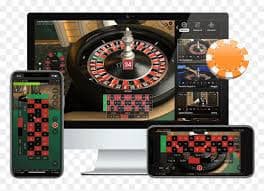
Get Luxebet on your Android or iOS device in minutes, or skip the install entirely and bet straight from your mobile browser. This page covers every access option so Filipino players can start wagering on PBA, football, live casino, and more — without any hassle.

The Luxebet download page is where Filipino players find every way to access the platform on mobile — whether that means installing the dedicated Android APK, saving the site as a home screen shortcut on iOS, or simply opening the full platform in Chrome or Safari without downloading a single file. Most players in the Philippines choose the browser route because it works immediately on any device, takes up no phone storage, and requires no app updates. The Android APK option is available for players who prefer a dedicated app feel with one-tap launch from their home screen. iOS users on iPhone or iPad can access the complete Luxebet experience through Safari with no App Store involvement needed. Whichever method you choose, you reach the same full platform — sports betting on PBA, UAAP, football and esports, live casino tables, slots, account management, and PHP deposits and withdrawals.
Pick whichever fits your device and preference — all three reach the complete platform.
Download the Luxebet APK file directly from this page, enable "Install from unknown sources" in your Android settings, and install in under a minute. Once installed, the app icon appears on your home screen for one-tap access to sports betting, live casino, and your account. The APK is optimised for popular Philippine Android devices including budget and mid-range models, so it loads quickly even on a standard mobile data connection. Updates to the platform are applied automatically on next launch — no manual update or Play Store required. This option is ideal if you want a native app experience without relying on the browser.
iPhone and iPad users open Luxebet in Safari, tap the Share button, and select "Add to Home Screen" to create a shortcut that launches exactly like a native app. No App Store, no download, no storage space used beyond a small icon entry. The full Luxebet interface — including live betting, casino games, and deposit controls — is accessible this way in Safari's optimised mobile view. This is the recommended approach for all iOS users in the Philippines since it bypasses App Store restrictions entirely while still giving you quick one-tap access. The experience is smooth on iPhone 12 and newer as well as older models running iOS 15 and above.
Open Chrome, Firefox, or any modern browser on your Android or iOS device and navigate to Luxebet to access the full platform instantly — zero installation, zero storage impact, zero waiting for app approval. The mobile browser version is responsive and works cleanly on screens of all sizes, from budget Android phones to tablets. Sports betting markets, live casino tables, VIP dashboard, deposit and withdrawal forms — everything loads in the browser just as it does in a dedicated app. This is the fastest way to start for new players who want to check the platform before committing to an install. Simply bookmark the page or save it to favourites for quick access on future visits.
Takes less than two minutes on any Android phone. No Google Play account needed.
The APK file will begin downloading to your Android device's default Downloads folder. Make sure you have a stable mobile data or WiFi connection — the file is small and typically completes in under 30 seconds.
Go to Settings > Apps > Special App Access > Install Unknown Apps, then enable permission for your browser or file manager. This is a one-time step required for any app installed outside the Google Play Store on Android.
Open your notifications or navigate to your Downloads folder and tap the Luxebet APK file. Your Android system will prompt you to confirm the installation — tap Install and the process completes in seconds.
The Luxebet icon appears on your home screen. Tap to launch, then log in to your existing account or create a new one in under three minutes. Your VIP progress, balance, and betting history sync instantly.
A quick comparison to help you pick the right method for your device and situation.
| Access Method | Device | Install Required | Storage Used | Best For |
|---|---|---|---|---|
| Android APK | Android | Yes — one-time | Minimal | Dedicated app feel, home screen icon |
| iOS Home Screen Shortcut | iPhone / iPad | No | Negligible | Quick launch, App Store-free |
| Mobile Browser | Android & iOS | No | None | Instant access, any device |
| Desktop Browser | PC / Laptop | No | None | Full-screen experience at home |
Whether you install the APK or open the browser version, the full Luxebet platform is available from the moment you log in. Here is what Filipino players access most on mobile.
Place pre-match and in-play bets on Philippine basketball, volleyball, football leagues, boxing, esports including MPL Philippines, and major international competitions. Odds update in real time during live events. Head to the Betting section for the full market list.
Browse hundreds of slots, live baccarat, roulette, and virtual sports — all with PHP table limits so you always know your stake in Philippine pesos. The Games section has the full catalogue.
Monitor your current VIP tier — Silver, Gold, Platinum, or Diamond — check your weekly cashback earnings, and see how far you are from the next level. The VIP page covers all tier benefits in detail.
Fund your account in Philippine pesos via GCash, bank transfer, or other local payment channels. Withdrawals to GCash are processed based on your VIP tier — Gold and above benefit from faster turnaround times with no currency conversion fees.
Quick answers for Filipino players getting started with the app or mobile browser.
Yes — the Luxebet APK is the official file provided directly from this download page, so you are not relying on any third-party mirror or unofficial source. The installation process is standard for any Android app distributed outside the Play Store: you enable "Install from unknown sources" temporarily, complete the install, and you can disable that permission again afterwards. If you are cautious about installing APK files, the mobile browser option gives you the exact same platform without any installation at all. Check the FAQ page for more detail on account security and safe access practices.
Absolutely. Open Safari on your iPhone or iPad, visit Luxebet, and you have immediate access to the full platform — sports betting, casino games, account management, and payments — without touching the App Store. For a faster daily experience, tap the Share icon in Safari and choose "Add to Home Screen" to create a shortcut that opens Luxebet like a native app with one tap. This method works on all iPhone models running iOS 14 and above and does not consume any meaningful storage on your device.
Luxebet's mobile interface is built to load efficiently on standard Philippine mobile data speeds, including 3G and LTE connections in areas with variable signal strength. Sports betting markets and the main lobby load quickly even in low-bandwidth conditions, while the live casino stream quality adjusts automatically based on your available connection. If you are on a particularly slow connection, the sports betting and slots sections tend to be the most reliable. For the best live dealer experience, a stable WiFi or strong LTE signal is recommended.
No — your Luxebet account works across all access methods. Whether you log in through the Android APK, the iOS Safari shortcut, or the desktop browser, your balance, VIP tier, betting history, and withdrawal settings are all the same. You only need one account regardless of how many devices you use. If you already have an account, simply log in on your new device. If you are new, register once and use that account everywhere.
The FAQ page covers the most common installation issues, login problems, and browser compatibility questions in plain Philippine English. If your specific issue is not covered there, Luxebet's 24/7 support team is reachable through the live chat available within the platform after you log in. For APK installation issues specifically, the most common fix is confirming that "Install from unknown sources" is enabled for the correct app on your Android device — the FAQ walks through this step by step for the major Android brands popular in the Philippines.
Create your free Luxebet account in under three minutes and start placing bets on your favourite Philippine and international sports — all in PHP, from your phone, right now.